Free & Open Source — Built in Rust

Perfect Clips
from long videos

for

Every Platform

Drop in one podcast MP4 and get back every strong, faithful vertical clip it contains — word-accurate captions, face-aware framing, zero cloud. Free and open source.

How It Works

Clipping Factory scans your full transcript and turns every strong moment into a captioned, face-tracked vertical clip

Clipping Factory scans your full transcript and turns every strong moment into a captioned, face-tracked vertical clip

Clipping Factory scans your full transcript and turns every strong moment into a captioned, face-tracked vertical clip

Karaoke Captions

Karaoke Captions

Panel Highlights

Panel Highlights

Hook Detection

Hook Detection

Face-Aware Framing

Face-Aware Framing

Whisper Transcription

Whisper Transcription

100% Local

100% Local

How It Works

Three steps to feed-ready clips

1

Drop In Your Video

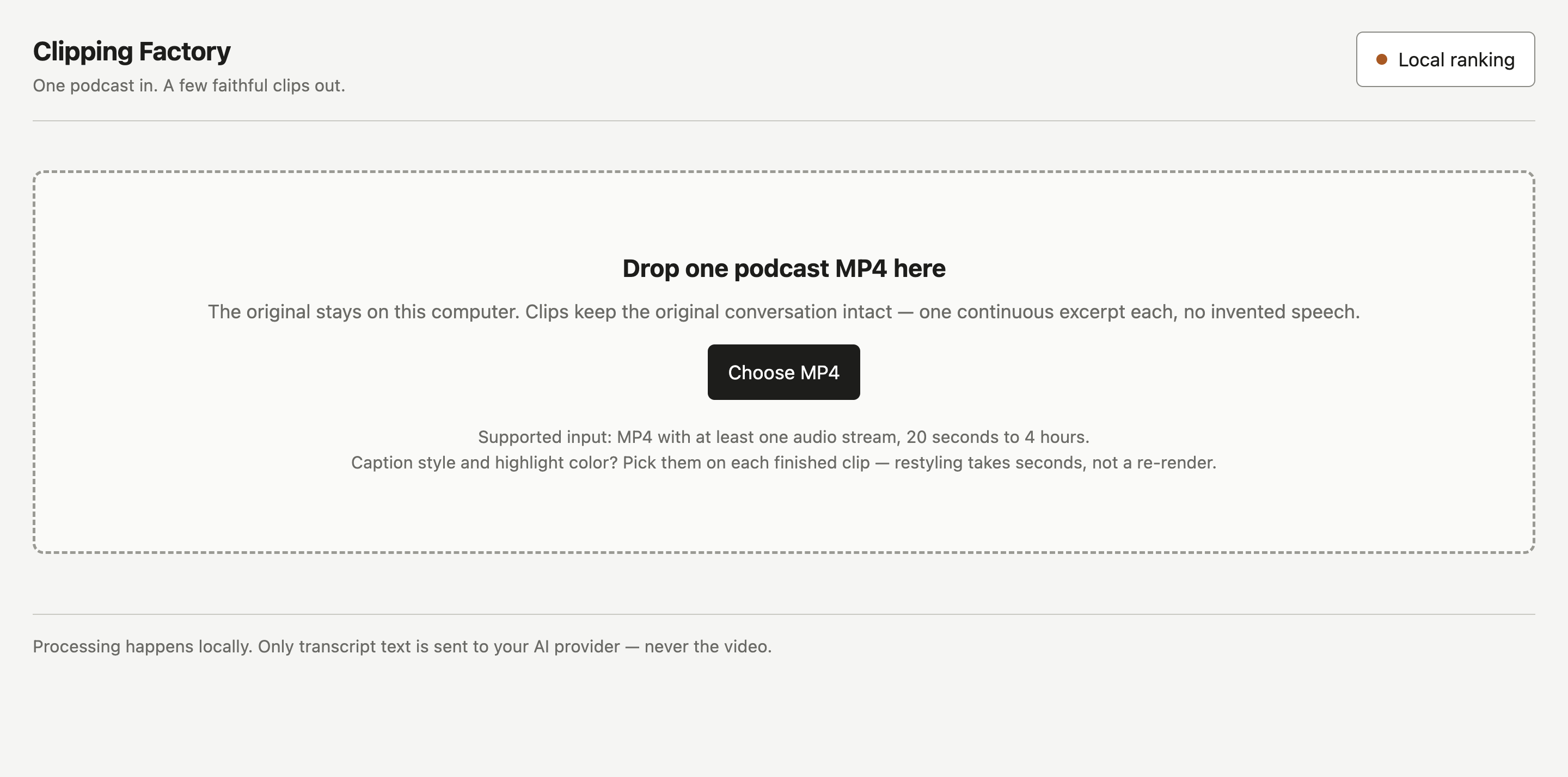
Point it at one long-form MP4 — podcast, interview, or stream. It stays on your machine.

1

Drop In Your Video

Point it at one long-form MP4 — podcast, interview, or stream. It stays on your machine.

1

Drop In Your Video

Point it at one long-form MP4 — podcast, interview, or stream. It stays on your machine.

2

It Finds Every Moment

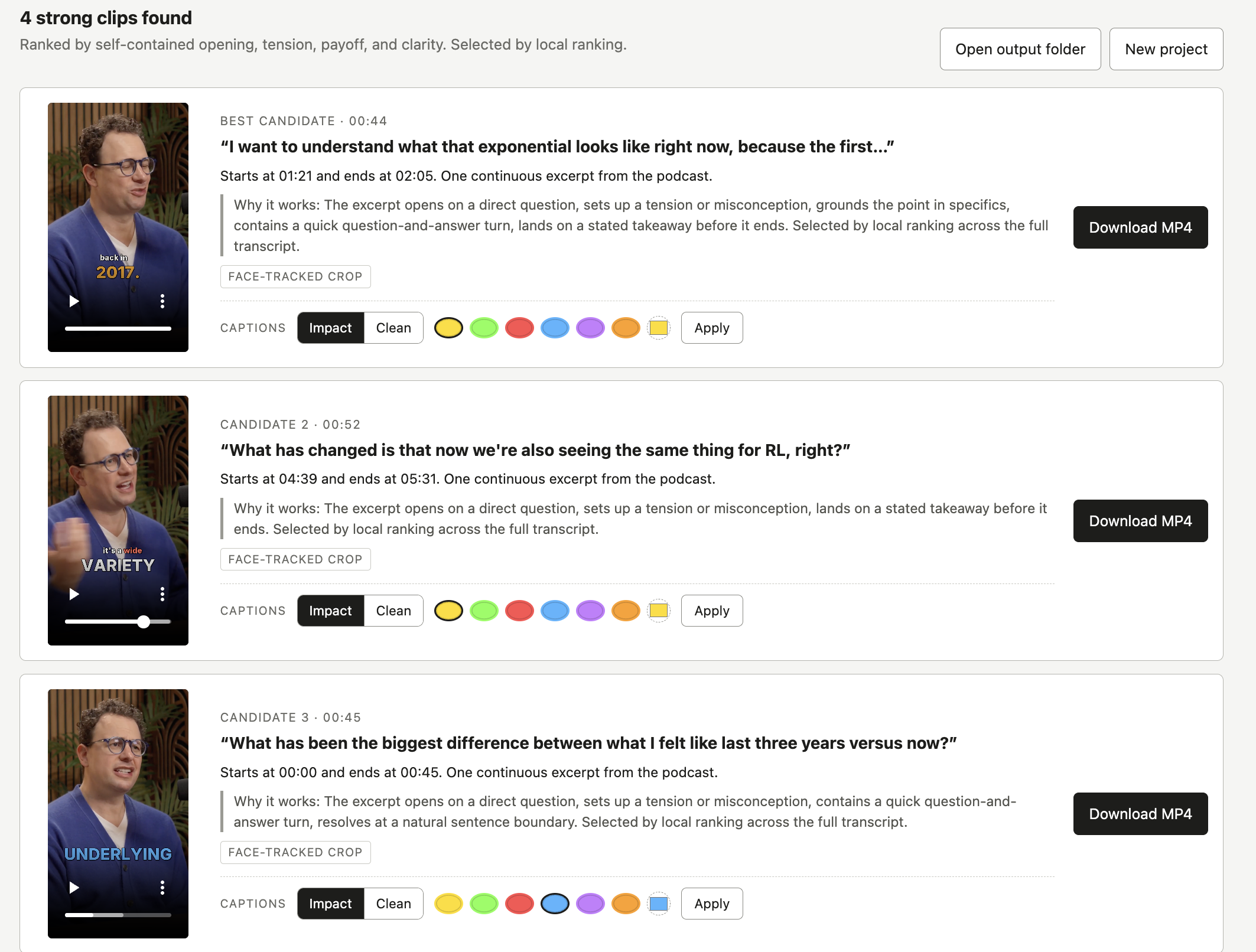
Local ranking scans the full transcript and keeps every strong, distinct excerpt — faithful, never spliced.

2

It Finds Every Moment

Local ranking scans the full transcript and keeps every strong, distinct excerpt — faithful, never spliced.

3

Export Feed-Ready Clips

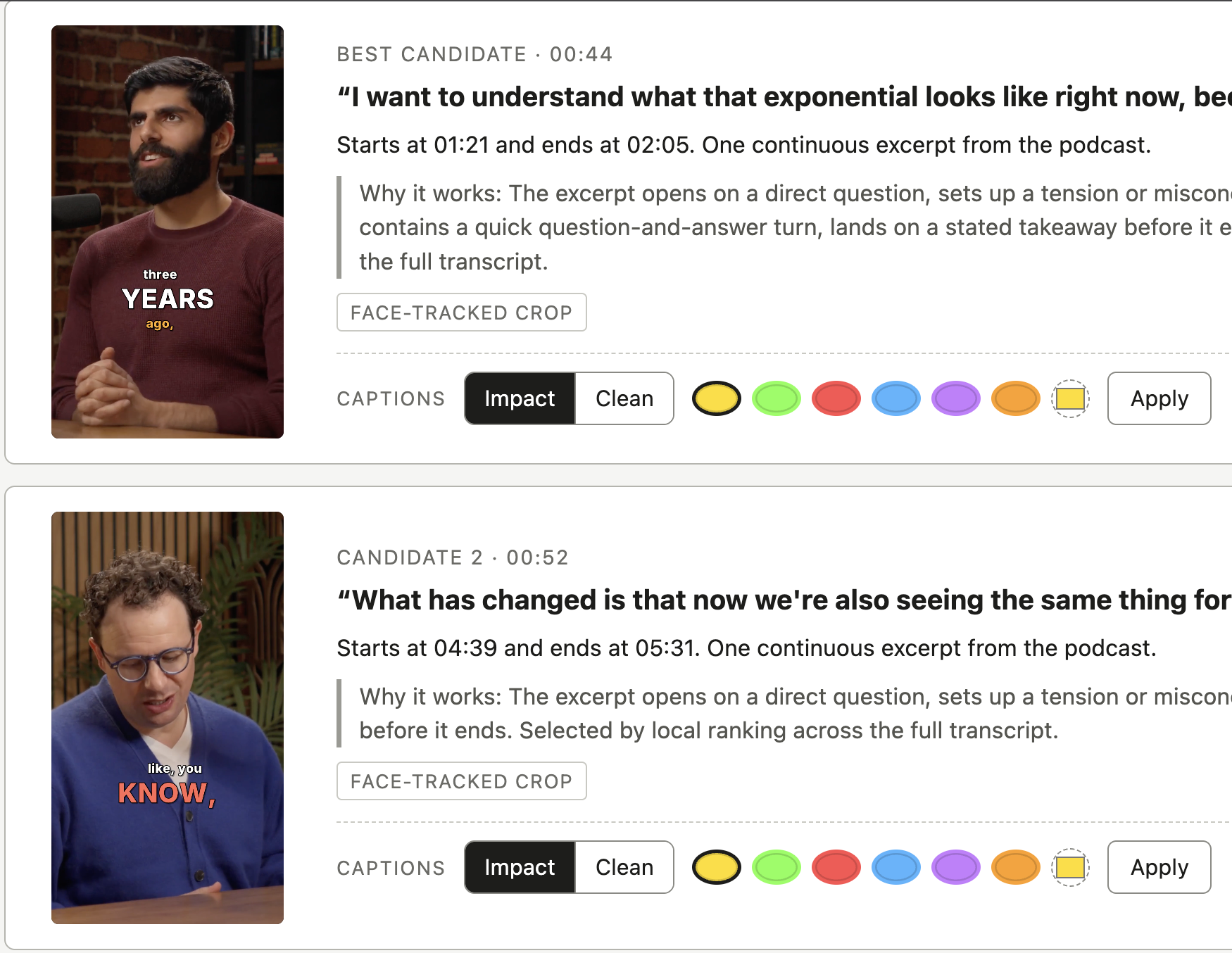
1080×1920 with word-accurate captions and face-tracked framing. Restyle any clip in seconds.

3

Export Feed-Ready Clips

1080×1920 with word-accurate captions and face-tracked framing. Restyle any clip in seconds.

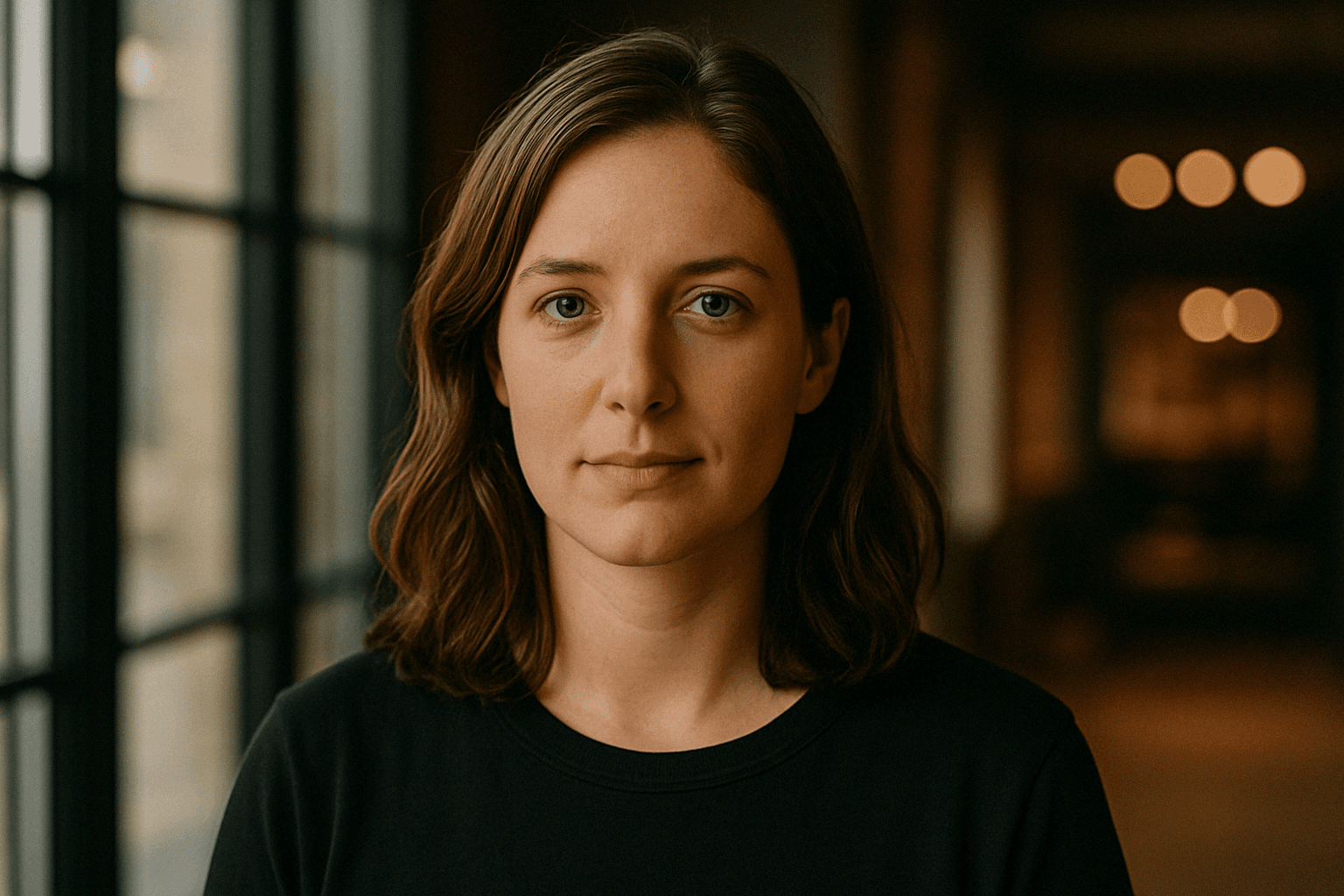
Sarah Chen

Content Creator

Clipping Factory turned my three-hour podcast into fifteen feed-ready clips in one afternoon. The captions are word-perfect, and every clip is a faithful cut of what I actually said.

"

Sarah Chen

Content Creator

Clipping Factory turned my three-hour podcast into fifteen feed-ready clips in one afternoon. The captions are word-perfect, and every clip is a faithful cut of what I actually said.

"

Sarah Chen

Content Creator

Clipping Factory turned my three-hour podcast into fifteen feed-ready clips in one afternoon. The captions are word-perfect, and every clip is a faithful cut of what I actually said.

"

Marcus Johnson

YouTube Creator

I drop in a raw stream and get back captioned vertical clips that outperform anything I cut by hand. It all runs on my Mac nothing ever gets uploaded anywhere.

"

Marcus Johnson

YouTube Creator

I drop in a raw stream and get back captioned vertical clips that outperform anything I cut by hand. It all runs on my Mac nothing ever gets uploaded anywhere.

"

Marcus Johnson

YouTube Creator

I drop in a raw stream and get back captioned vertical clips that outperform anything I cut by hand. It all runs on my Mac nothing ever gets uploaded anywhere.

"

The Factory

Clipping since 2026

Clipping Factory

Clipping Factory is a free, open-source clipping studio that turns long-form podcasts into feed-ready vertical clips. It handles everything from transcription and moment ranking to captions and framing — entirely on your machine, so your footage never leaves home.

2026 → Now

2026 → Now

Local Ranking Engine

2026 → Now

2026 → Now

Whisper Transcription

whisper.cpp

2026 → Now

Face-Aware Framing

2026 → Now

2026 → Now

Two-Pass FFmpeg Renders

2026 → Now

2026 → Now

Free Forever

Simple Pricing: Free, Forever

Simple Pricing: Free, Forever

Simple Pricing: Free, Forever

Free

Also Free

$0

/forever

Open Source — MIT, on GitHub

What's included

Unlimited clips, no quotas

Runs 100% locally

Free forever, open source

Word-accurate captions

Face-aware framing

Restyle in seconds

Alex Rivera

Podcast Host

The local ranking engine changed my workflow. Every strong moment from a two-hour episode captioned, framed, and ready to post without my audio ever leaving my machine. And it is completely free.

"

The local ranking engine changed my workflow. Every strong moment from a two-hour episode captioned, framed, and ready to post without my audio ever leaving my machine. And it is completely free.

Also Free

$0

/forever

Open Source — MIT, on GitHub

What's included

Unlimited clips, no quotas

Runs 100% locally

Free forever, open source

Word-accurate captions

Face-aware framing

Restyle in seconds

Alex Rivera

Podcast Host

The local ranking engine changed my workflow. Every strong moment from a two-hour episode captioned, framed, and ready to post without my audio ever leaving my machine. And it is completely free.

"

Free

Also Free

$0

/forever

Open Source — MIT, on GitHub

What's included

Unlimited clips, no quotas

Runs 100% locally

Free forever, open source

Word-accurate captions

Face-aware framing

Restyle in seconds

Alex Rivera

Podcast Host

The local ranking engine changed my workflow. Every strong moment from a two-hour episode captioned, framed, and ready to post without my audio ever leaving my machine. And it is completely free.

"

Karaoke-Style Captions

Smart Hook Detection

1080×1920 Vertical Export

Minutes, Not Days

Any Accent Color

Deterministic Validator

Unlimited Restyles

Transcript-Aware Ranking

Local Whisper Transcription

FAQ

Your Questions, Answered

Have more questions? The README covers everything

Is it really free?

Yes — Clipping Factory is free and open source. Clone the repo, run it on your Mac, and render as many clips as you like. No accounts, no subscriptions, no usage limits.

How fast is it?

Most episodes go from MP4 to finished clips in minutes, not days. Transcription and rendering run locally on your machine, so there is no queue and no cloud to wait on.

How many clips do I get from one episode?

As many as the source supports — local ranking keeps every strong, sufficiently distinct moment instead of stopping at three, and a deterministic validator rejects weak or overlapping ones before anything renders.

What kinds of videos does it handle?

Podcasts, interviews, webinars, streams, panels — any long-form MP4 of people talking. Every clip exports at 1080×1920, H.264/AAC — ready for Shorts, Reels, and TikTok.

What’s under the hood?

Rust end to end — whisper.cpp for word-timestamped transcription, FFmpeg for two-pass rendering, and face detection for smart framing. No API key required; OpenAI or Anthropic are optional plug-ins.

Does my footage ever leave my machine?

No. Video, audio, transcripts, project state, and rendering all stay on your Mac by default. No cloud upload, no telemetry, no accounts.

Can I change how the captions look?

Yes — every finished clip has a restyle control. Switch between the Impact and Clean styles or pick any accent color, and it applies in seconds without a re-render.

Is it really free?

Yes — Clipping Factory is free and open source. Clone the repo, run it on your Mac, and render as many clips as you like. No accounts, no subscriptions, no usage limits.

How fast is it?

Most episodes go from MP4 to finished clips in minutes, not days. Transcription and rendering run locally on your machine, so there is no queue and no cloud to wait on.

How many clips do I get from one episode?

As many as the source supports — local ranking keeps every strong, sufficiently distinct moment instead of stopping at three, and a deterministic validator rejects weak or overlapping ones before anything renders.

What kinds of videos does it handle?

Podcasts, interviews, webinars, streams, panels — any long-form MP4 of people talking. Every clip exports at 1080×1920, H.264/AAC — ready for Shorts, Reels, and TikTok.

What’s under the hood?

Rust end to end — whisper.cpp for word-timestamped transcription, FFmpeg for two-pass rendering, and face detection for smart framing. No API key required; OpenAI or Anthropic are optional plug-ins.

Does my footage ever leave my machine?

No. Video, audio, transcripts, project state, and rendering all stay on your Mac by default. No cloud upload, no telemetry, no accounts.

Can I change how the captions look?

Yes — every finished clip has a restyle control. Switch between the Impact and Clean styles or pick any accent color, and it applies in seconds without a re-render.

Free & open source

Let's Connect

Clone the repo, drop in an MP4, and watch the clips roll out. Questions, ideas, or bug reports — the GitHub issues tab is always open.

© Clipping Factory, 2026

Free & open source

Let's Connect

Clone the repo, drop in an MP4, and watch the clips roll out. Questions, ideas, or bug reports — the GitHub issues tab is always open.

© Clipping Factory, 2026

Free & open source

Let's Connect

Clone the repo, drop in an MP4, and watch the clips roll out. Questions, ideas, or bug reports — the GitHub issues tab is always open.

© Clipping Factory, 2026